Labeeb M. Say hi
← All projects
Case study 03Zaper · Workforce SaaS · Live

Time & Attendance

A selfie check-in, matched to the worker's face and the site's location, that flows into timesheets, overtime and pay. The AI is fast, but it can be wrong. So nobody ever loses a day's attendance because of it.

Role
End-to-end Product Designer
Team
AI/ML engineers, developers
Platform
iOS · Android
Timeline
Mar – Nov 2025 · 9 months
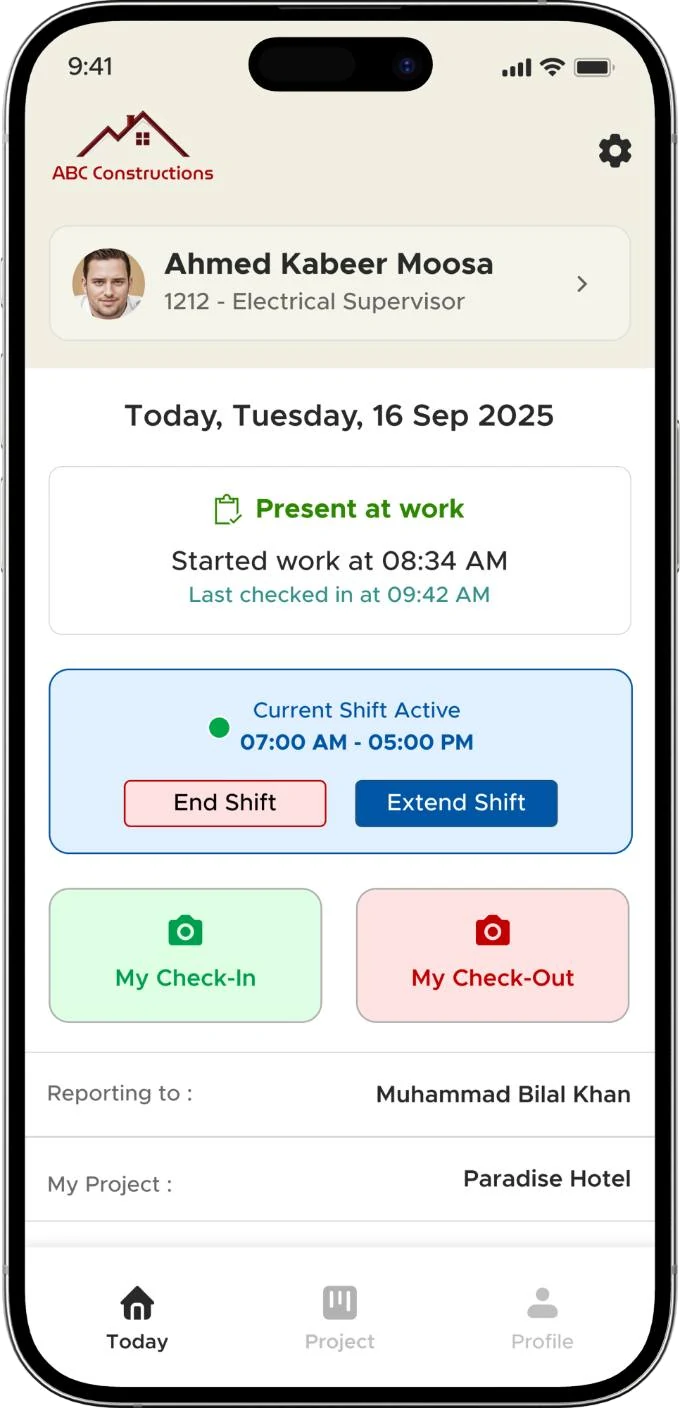
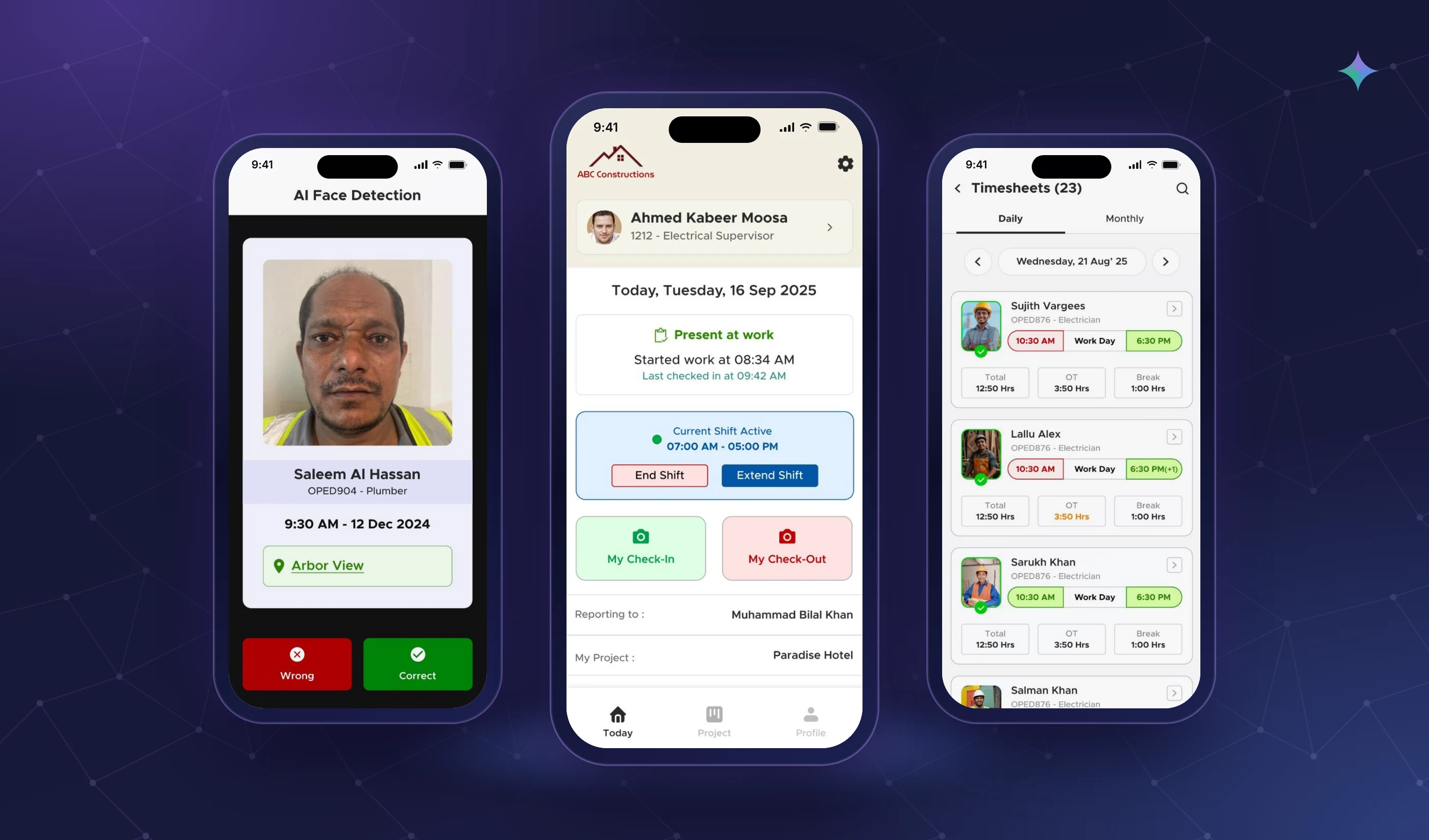
The Time & attendance app across several phone screens.
  1. Problem

    Punching-machine queues, punch-time manipulation, and paper and Excel passed between HR, supervisors and accounts.

  2. Where AI sits

    Face match on a live selfie, combined with a GPS geofence and shift rules. AI also transcribes spoken leave reasons.

  3. Key decision

    When the AI is unsure, retry with a hint, then manual capture after 2 tries. A worker is never blocked.

  4. Outcome

    No more queues. Workers see their own hours and pay, and HR and supervisors do far less manual attendance work.

    Source: Observed, no measured metrics
How I used AIInput → AI → human check → output

A selfie, two checks, and a way out when they fail.

Face and location confirm who and where. When either is unsure, the worker still records attendance, and a person reviews it.

  1. 01 · Person Selfie

    Live camera only, no gallery uploads. One tap from the home screen.

  2. 02 · AI Face match

    The selfie is matched to the worker's registered face.

    ⚠ Light, a cap pulled low, a new beard
  3. 03 · System Geofence

    GPS checks the worker is inside the assigned site, with a buffer around the boundary.

    ⚠ Drift on big sites and in basements
  4. 04 · Person Retry with a hint

    “Move to better light” or “remove your cap”. After 2 failed tries, manual capture.

  5. 05 · Human check Supervisor verifies

    Manual and “location unclear” records go to the team leader to confirm.

  6. 06 · Output Timesheet & pay

    Hours, overtime and leave flow into the monthly timesheet and payslip.

AI step Human in the loop Where it can go wrong

What I changed and why3 decision stories

Real moments that changed the design.

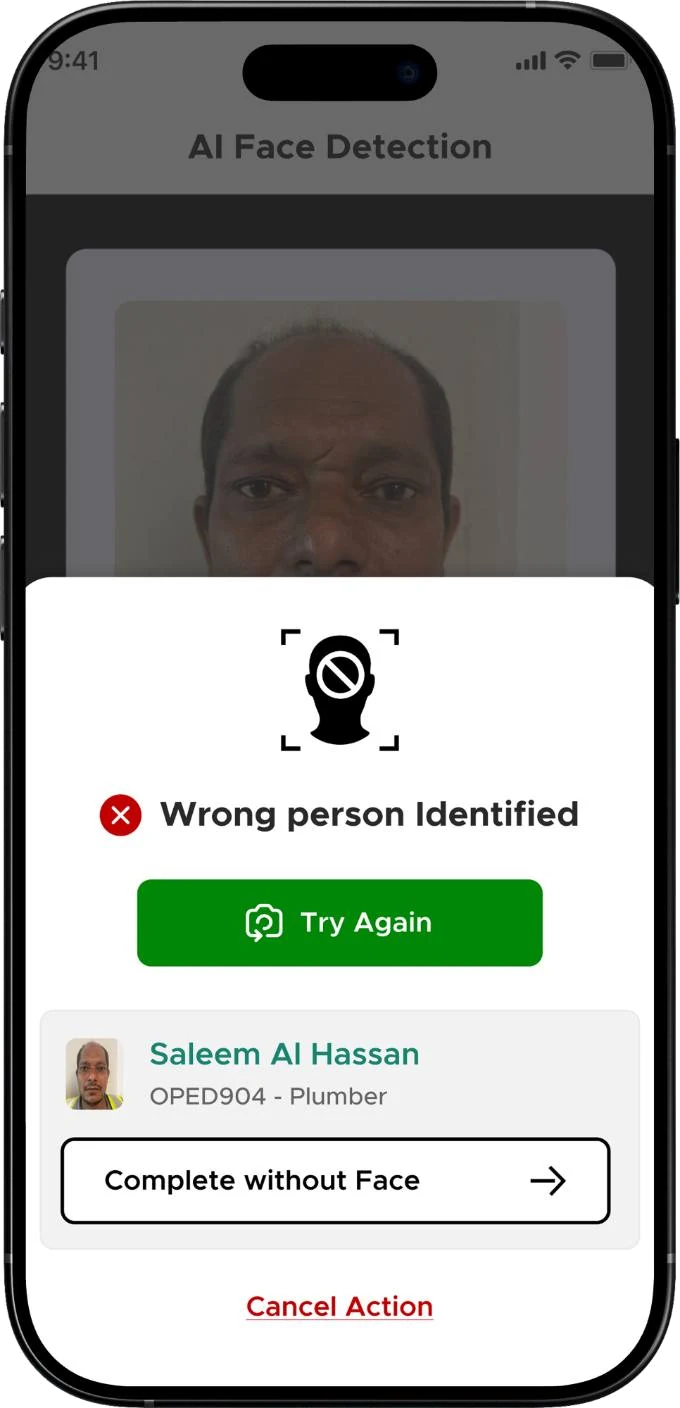
Back from leave with a full beard.

Problem
If attendance depends only on face recognition, every recognition error costs a worker paid time.
What I observed
A worker came back from leave with a full beard and wasn't recognised at the morning check-in.
What it revealed
Recognition will sometimes fail for honest reasons. Blocking a genuine worker would be a new unfairness.
My decision
Never block attendance. Retry with a hint, then offer manual capture after 2 failed tries.
What changed
He used manual capture after two retries. The photo was tagged as manual for his supervisor to verify, and his face was then re-registered so it wouldn't happen again.
Outcome
A recognition failure became a short detour, not lost attendance.
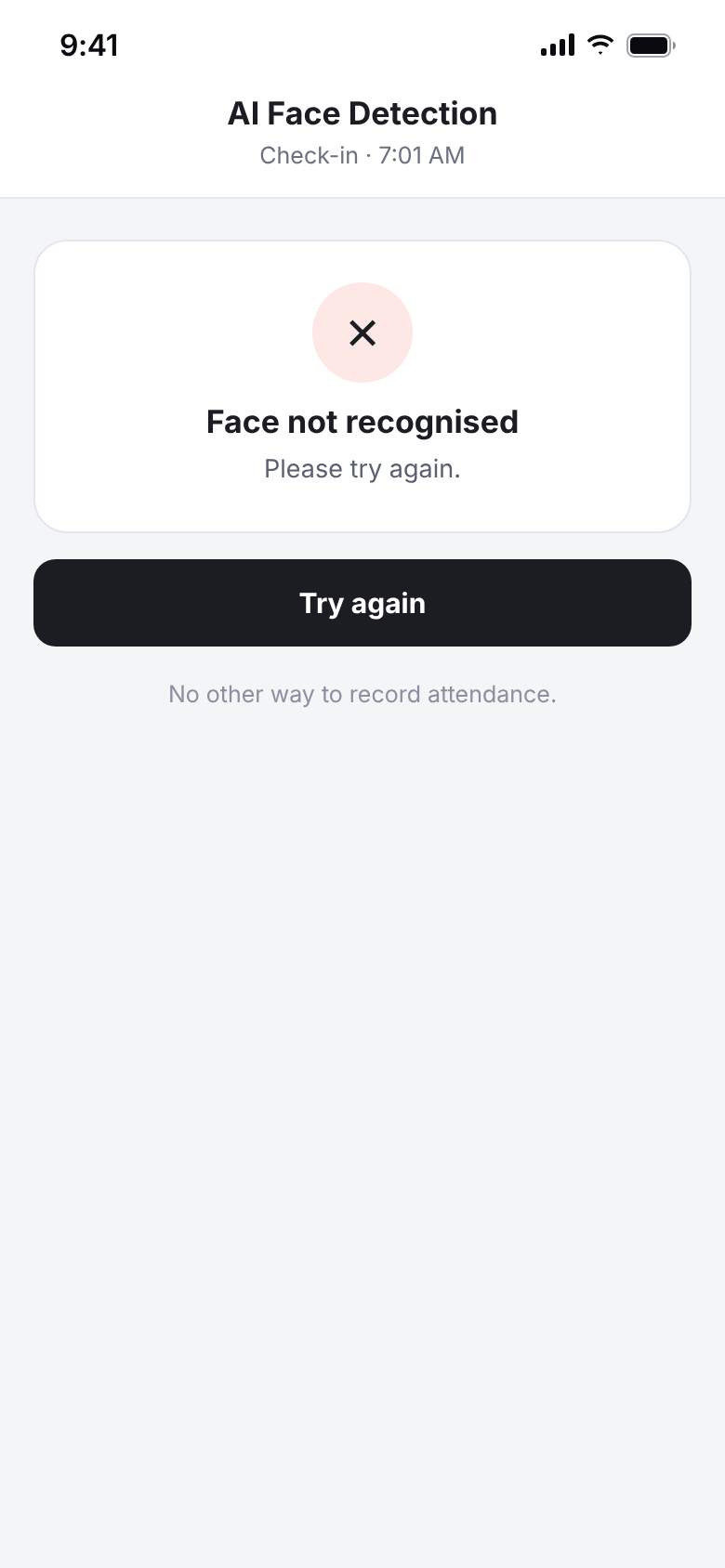
First approachFully automatic: try again, with no other way in.
Before: Fully automatic: try again, with no other way in.
ShippedTry again, or complete without face, tagged as manual.
After: Try again, or complete without face, tagged as manual.

Inside the site, but the map said outside.

Problem
The geofence is only as good as the phone's GPS.
What I observed
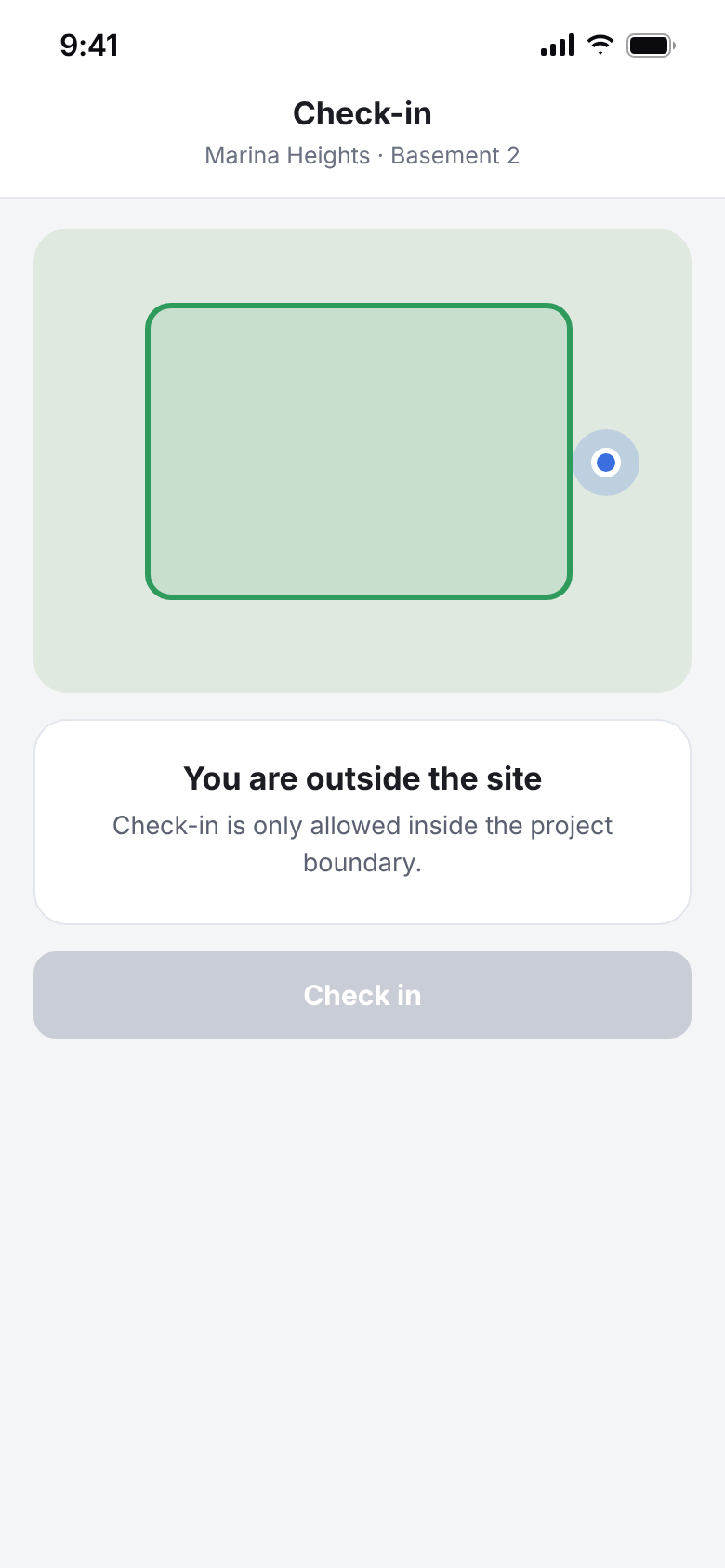
On large sites and in basements, GPS drift sometimes showed workers outside when they were inside.
What it revealed
A hard boundary punishes workers for a technical limit they can't control.
My decision
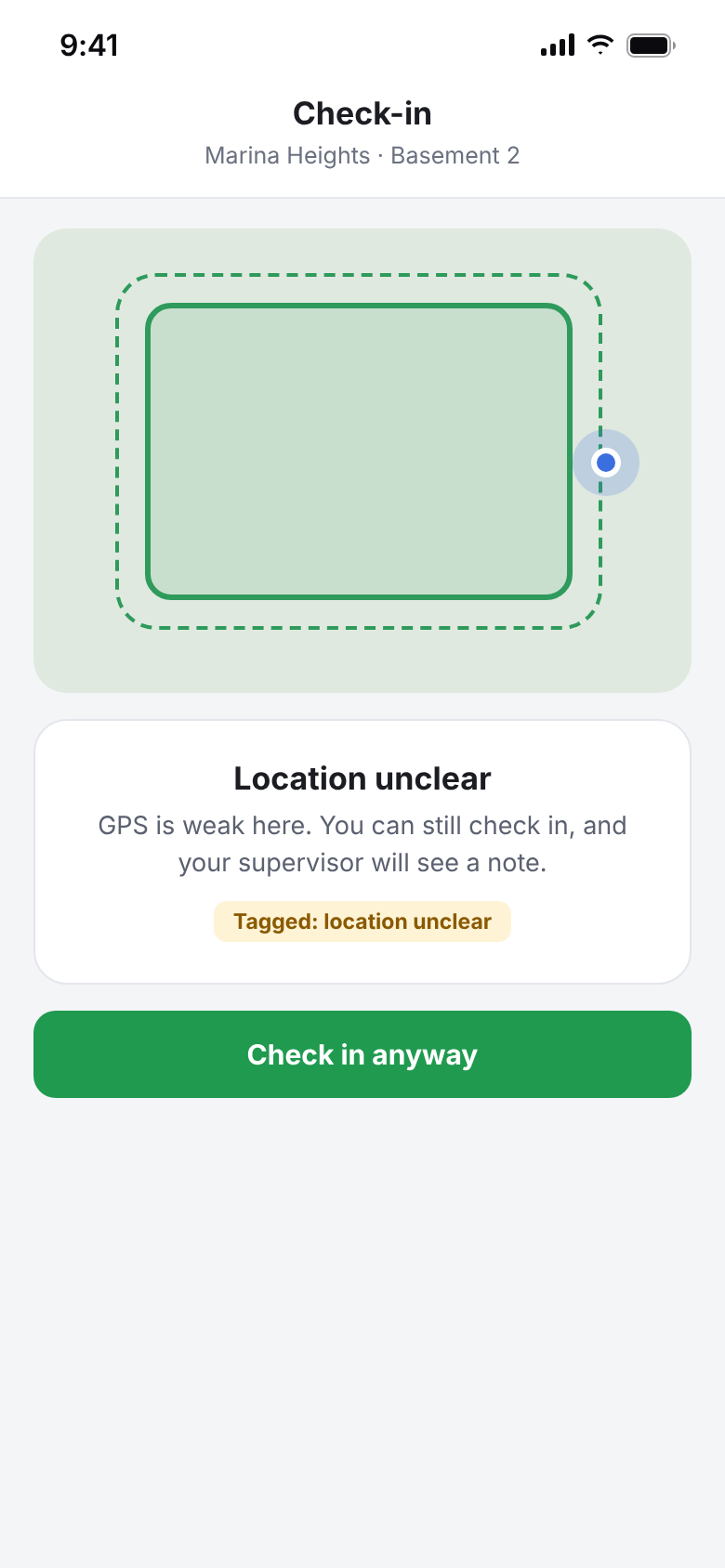
Be generous by default and flag instead of reject.
What changed
We added a buffer around the site boundary. If a worker is still flagged outside, they can check in with a “location unclear” tag for the supervisor.
Outcome
Real workers aren't turned away, and supervisors still see every doubtful check-in.
BeforeA hard boundary rejects a worker standing in the basement.
Before: A hard boundary rejects a worker standing in the basement.
AfterA buffer, and “check in anyway” with a tag.
After: A buffer, and “check in anyway” with a tag.

“Next Thursday” became the wrong week.

Problem
Workers come from many countries and aren't always comfortable typing a leave reason in English.
What I observed
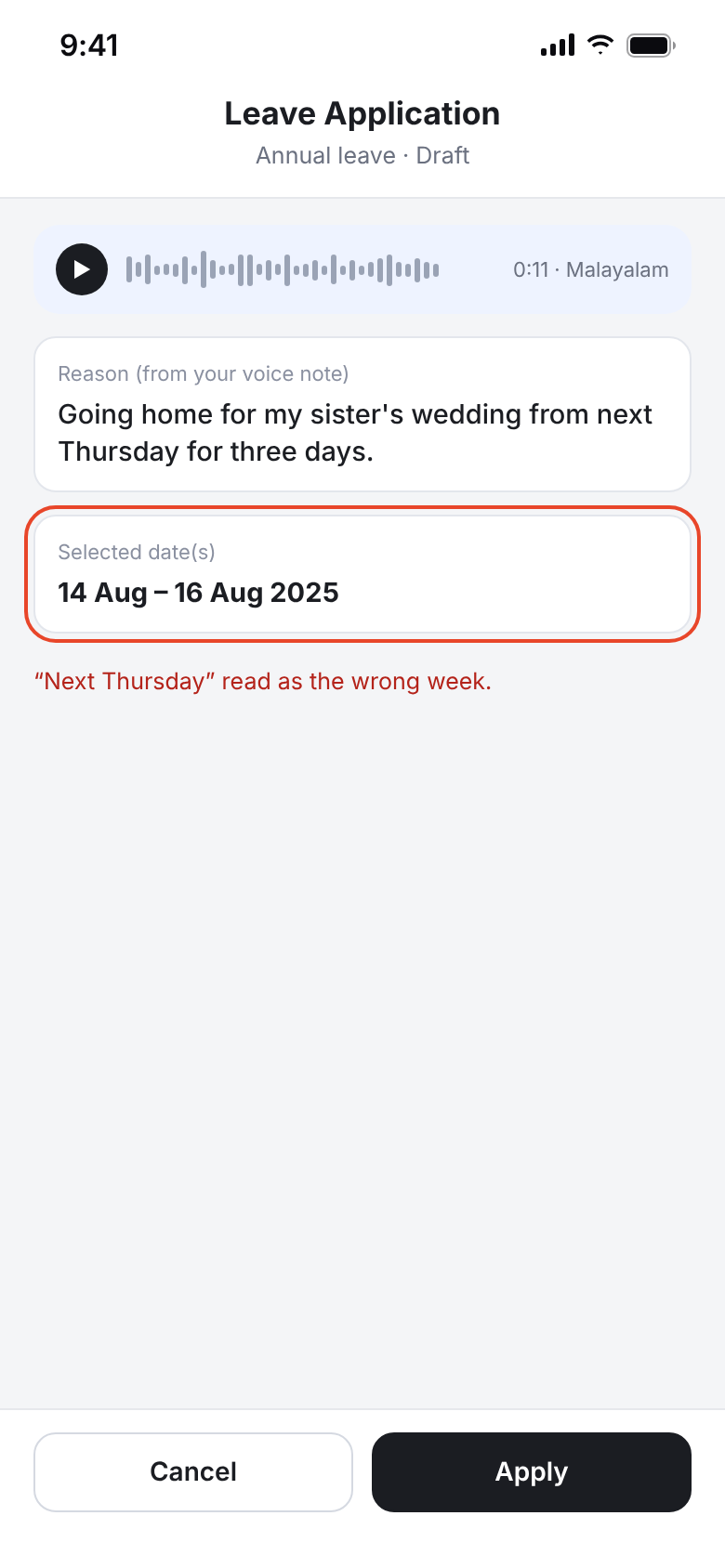
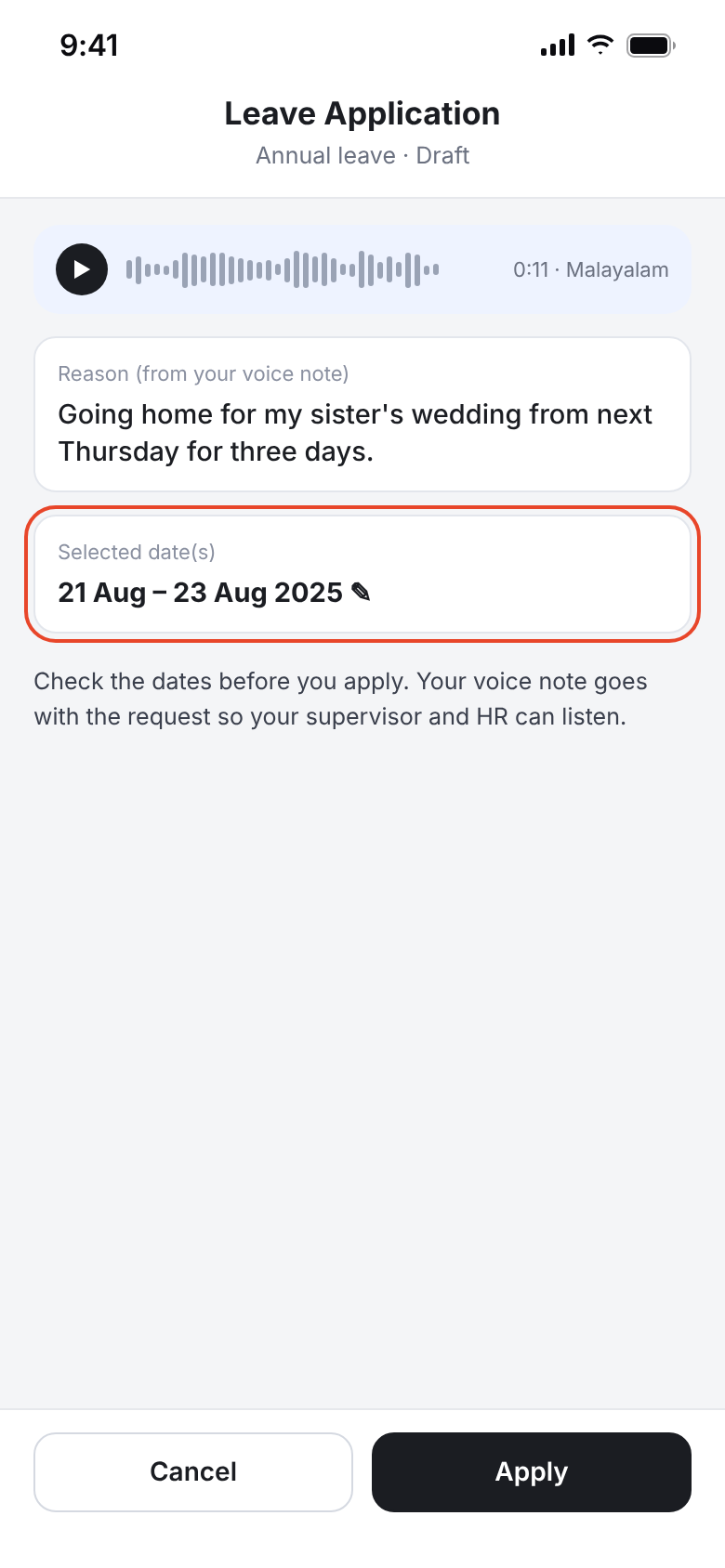
Voice leave requests mostly worked, but dates were the main error. “Next Thursday”, or a date said in Malayalam, was sometimes read as the wrong day.
What it revealed
The reason can be approximate. The dates can't be wrong.
My decision
Treat the dates as the thing to confirm, and keep the source.
What changed
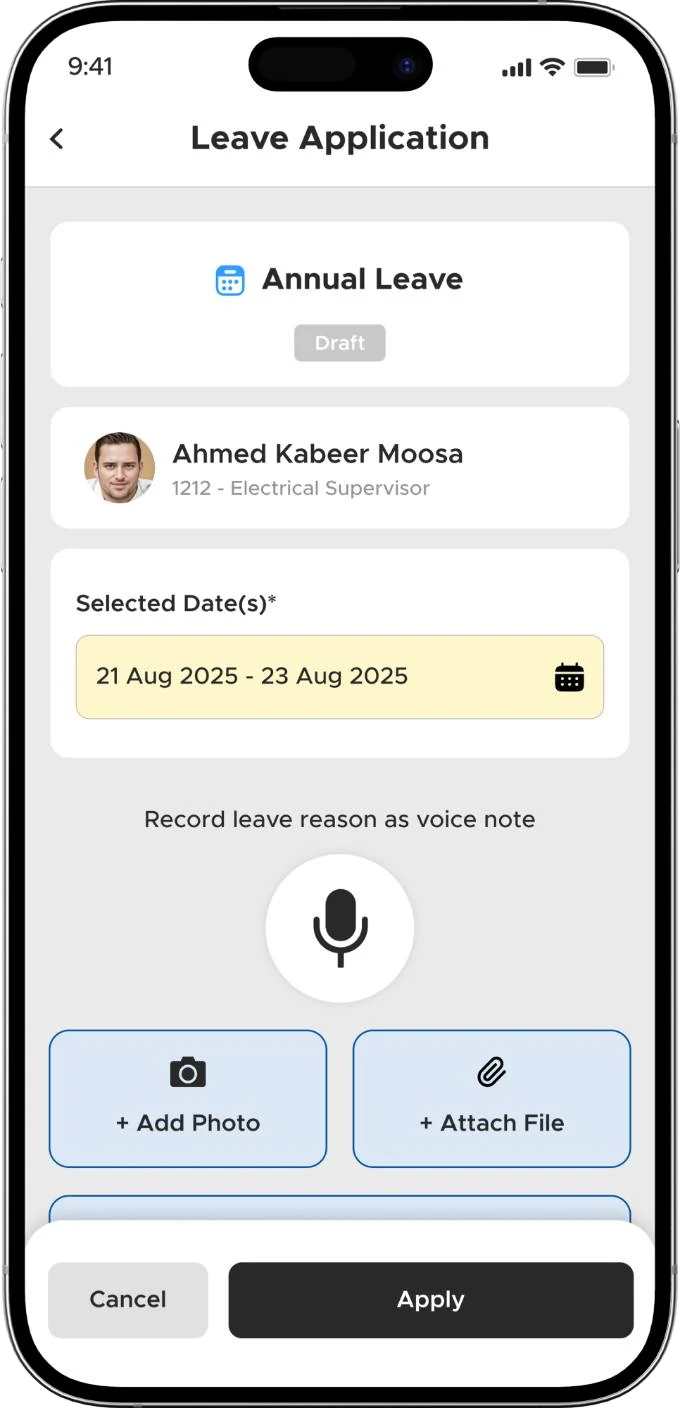
Dates are shown clearly on the confirm screen for the worker to fix before sending. The original voice note is attached, so the supervisor or HR can play it and adjust the application.
Outcome
Workers explain in their own language, and wrong dates are caught before approval.
BeforeDates read from speech, easy to miss.
Before: Dates read from speech, easy to miss.
AfterDates highlighted to check, voice note attached.
After: Dates highlighted to check, voice note attached.

Recreated screens are based on the shipped app. Names and dates are samples. The manual attendance screen is the shipped design.

The final experienceShipped screens

What shipped, and why it works that way.

Home
HomeCheck-in on the first screen, with shift and status at a glance.
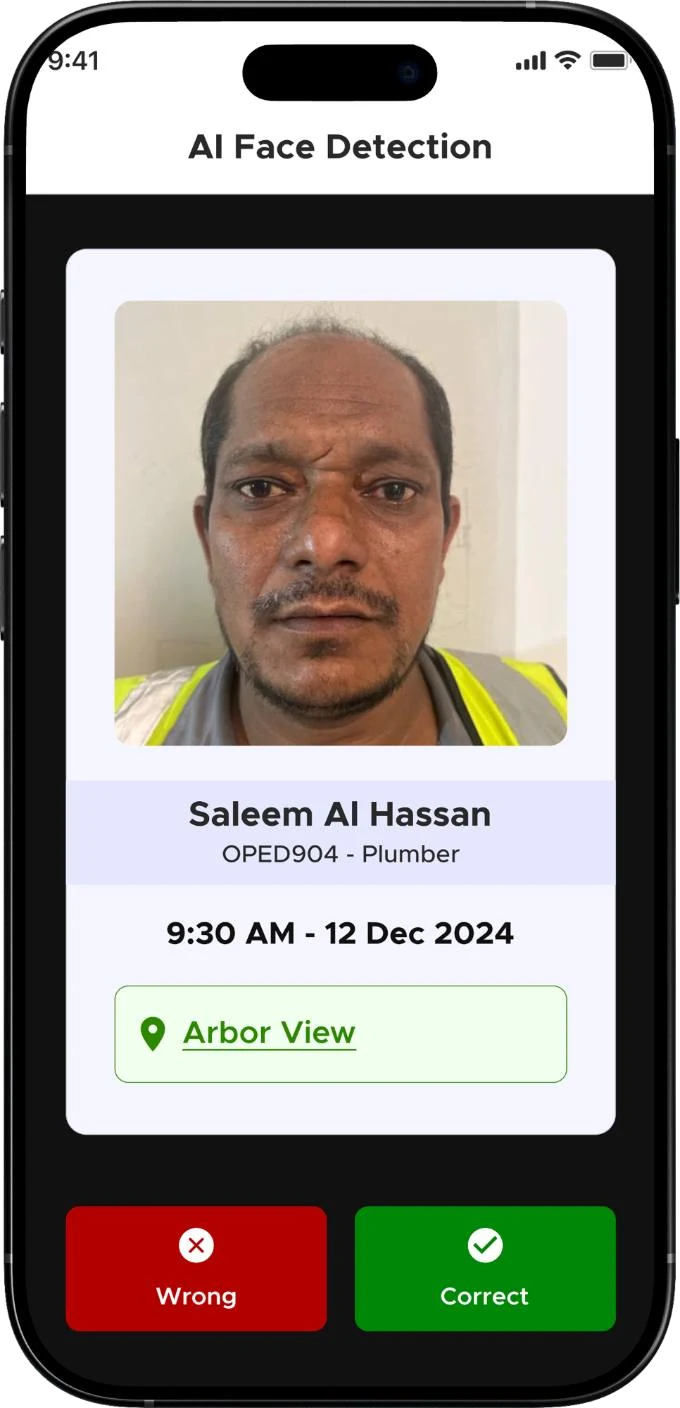
AI confirm
AI confirmName, role, time and site, with Wrong or Correct.
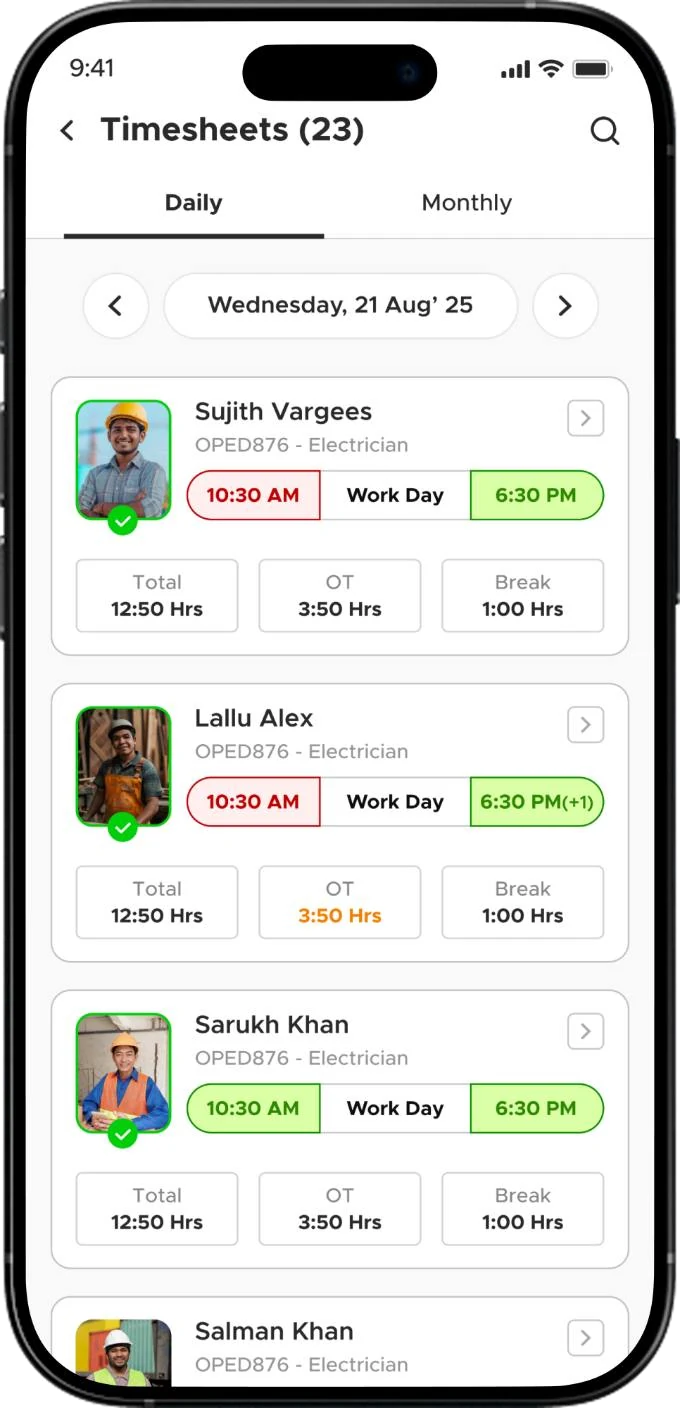
Timesheet
TimesheetRegular hours and overtime kept separate, so workers can spot a wrong record.
Payslip
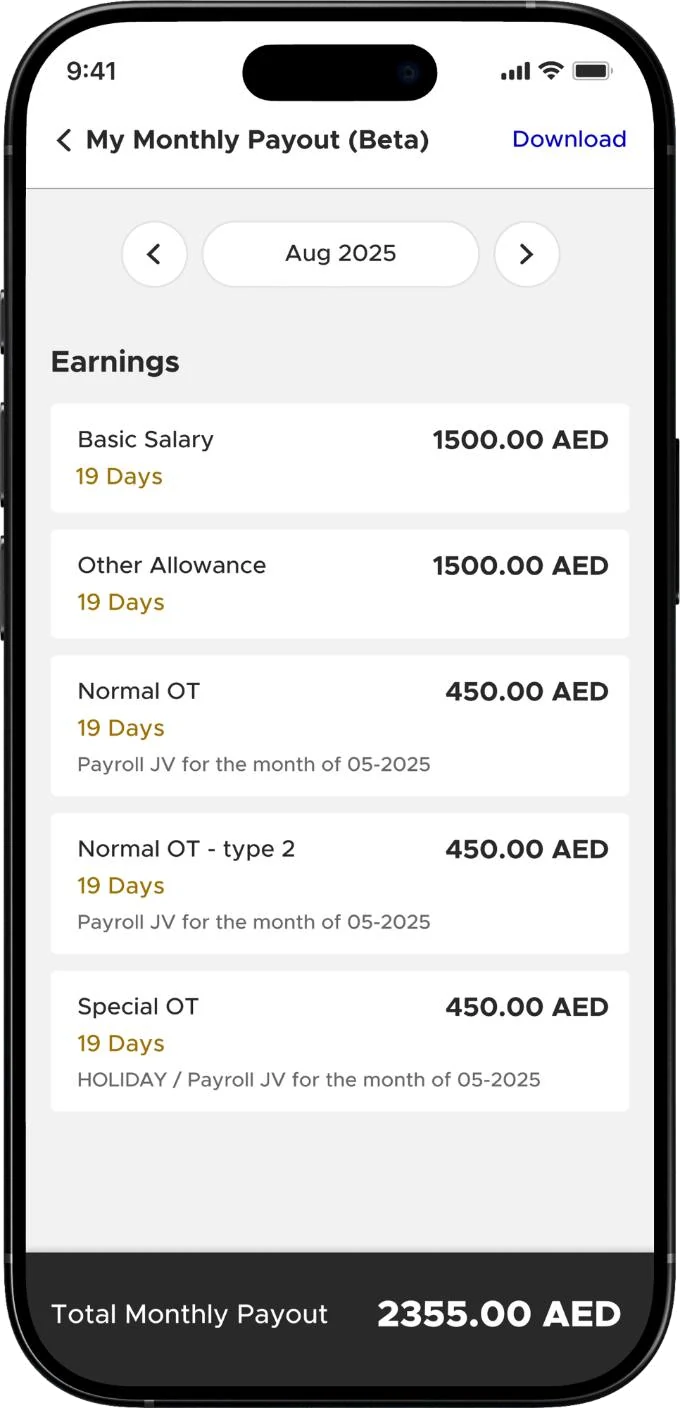
PayslipSalary, overtime and deductions, without asking HR.
Leave by voice
Leave by voiceRecord the reason in your own language. The voice note travels with the request.
Team (supervisor)
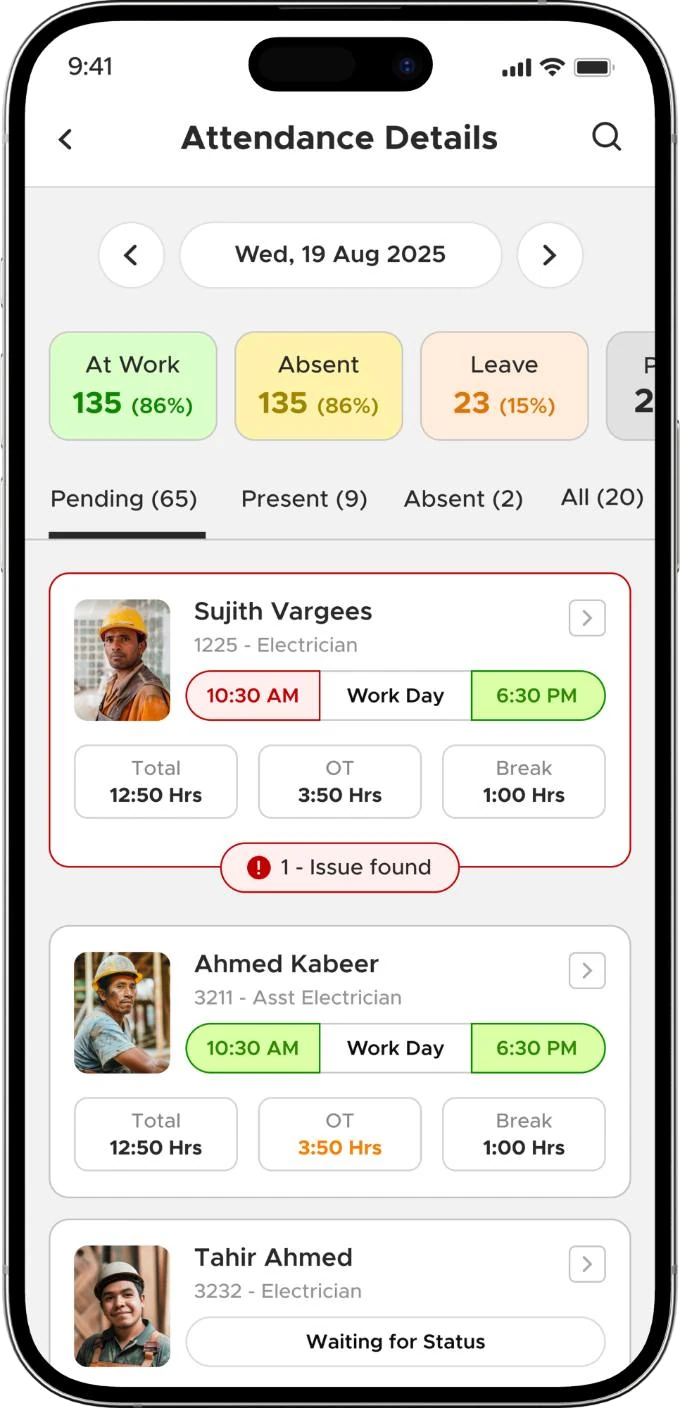
Team (supervisor)Exceptions show as issues on each card, not buried in a report.
Go deeperContext, discovery, decisions, barriers

The full story, if you have three more minutes.

01Context: attendance ran on queues, paper and Excel

Sites used punching machines, paper registers and spreadsheets. Workers queued to punch in and out, and some manipulated punch times. HR printed the data, supervisors reviewed it, and accounts processed payroll: slow and manual.

I designed the whole system end to end over 9 months, with the AI/ML engineers and developers: worker app, supervisor tools, and the path from check-in to pay.

02What I discovered, beyond the brief
  • Waiting was part of the problem. Check-in had to take seconds, not create a new queue.
  • Accountability had to be built in. Each record had to tie the right person to the right place and time.
  • Supervisors still needed control. Not every exception can be automated.
  • Workers wanted visibility. “My attendance and working hours affect my salary, so I need to know that the records are correct.”
03Supervisor control without the old paperwork

Full automation removes judgement, but too much manual control recreates the old process. Supervisors get specific, permissioned actions: approve manual attendance and leave, edit timings, change work status, and manage overtime, fines and ratings. Overtime is calculated automatically, then goes supervisor → HR → payroll.

04Barriers: AI errors, GPS and language
  • AI errors: retry hints, manual capture after 2 tries, supervisor verification.
  • GPS drift: a boundary buffer and a “location unclear” tag instead of rejection.
  • Language: voice for leave reasons, transcribed to English, with dates confirmed and the original note attached. Attendance itself is an action, not text.
  • Spoofing: live camera only, no gallery uploads.
ResultsNo measured metrics were available. These are observed outcomes.

What changed after launch.

  • ↓Queues at punching machines, and dependence on them
  • ↓Manual attendance processing and paperwork for HR
  • ↓Attendance disputes and correction back-and-forth
  • ↑Worker visibility into hours, timesheets and pay
  • 0Workers blocked from recording attendance by an AI error
  • ↑Speed of the path from attendance to payroll
What I learnedAnd what I'd change
Every AI step needs a way around it.

Face match and GPS both fail for honest reasons. A tagged fallback plus human review kept the system fair without making it slow.

Flag, don't reject.

When the system is unsure, letting the action through with a visible tag worked better than blocking the worker and creating a dispute.

Next timeWhat I'd change: let supervisors set the geofence radius.

Sites differ: a tower with basements isn't a flat compound. Supervisors know their site, so they should be able to tune the boundary instead of everyone getting one fixed buffer.

ContactSay hi

Building something with AI? Let's talk.

I'm open to product design roles in any sector where AI needs to feel simple and trustworthy.

Labeeb Manamkandath
that's me, in Dubai
© 2026 Labeeb Manamkandath