Labeeb M. Say hi
← All projects
Case study 02Zaper · Workforce SaaS · Live

AI Face Registration Flow

Workers register their face once, on site, so daily check-ins can work by selfie. The hard part wasn't the AI. It was getting a clear photo from someone in harsh sun, who can't read small text, without making them feel watched.

Role
Senior Product Designer
Team
AI/ML engineers, developers
Platform
iOS · Android
Timeline
Jan 2025 · 6 weeks
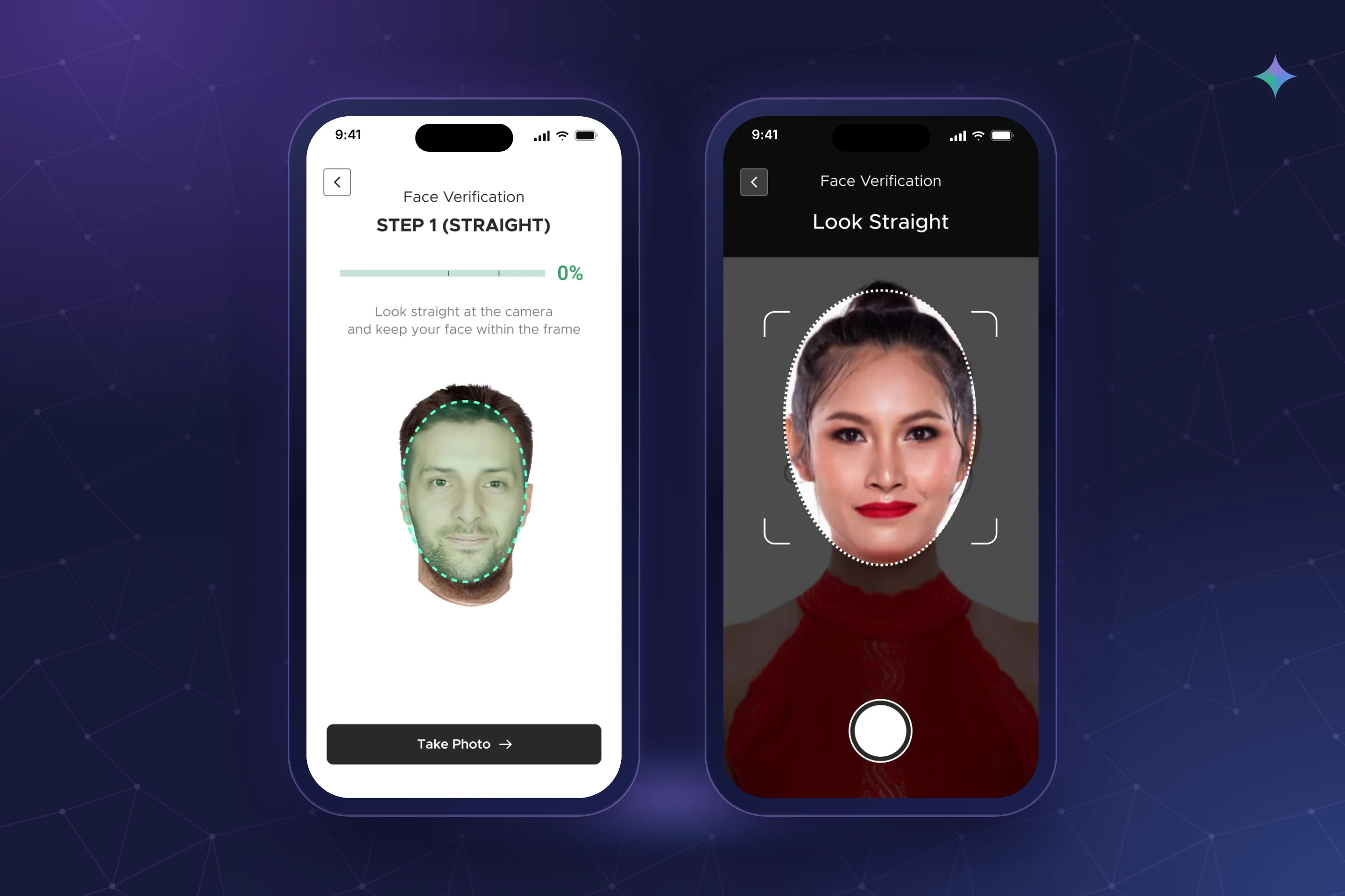
Phones showing the guided face registration steps.
  1. Problem

    Face check-in only works if registration photos are good. Workers failed in harsh sun and dim buildings, and many couldn't read the instructions.

  2. Where AI sits

    Live checks on the phone (one face, centred, close, well lit), then a server quality and match check after upload.

  3. Key decision

    Guide with an outline and short voice prompts. The capture button only works when the photo will pass.

  4. Outcome

    20% more successful registrations after launch. Most workers now register on the first or second try.

    Source: User survey + observation
How I used AIInput → AI → human check → output

Two checks: one live, one after upload.

The phone catches the common problems before the photo is taken, so the server's check rarely has to reject anyone.

  1. 01 · Person Short intro

    What's about to happen and why, in plain words and the worker's language.

  2. 02 · AI Live checks

    On the phone: one face, centred, close enough, well lit. All four must pass.

    ⚠ Harsh sun behind, dim light inside
  3. 03 · Person Three angles

    Straight, slight right, slight left, with an outline and voice prompts.

    ⚠ Phone held too far away
  4. 04 · AI Server check

    A second quality and match check after upload.

    ⚠ Big appearance changes later
  5. 05 · Human check Supervisor present

    Registration happens with a supervisor nearby. They also approve any re-registration.

  6. 06 · Output Check-in ready

    Daily attendance now works with a selfie.

AI step Human in the loop Where it can go wrong

What I changed and why3 decision stories

Real moments that changed the design.

He held the phone at arm's length and looked down.

Problem
Registration kept failing for some workers, and text instructions weren't helping.
What I observed
An older worker kept failing. He held the phone at arm's length and looked down at it, and he couldn't read the instructions well.
What it revealed
Text can't guide someone who can't read it at that distance. Workers also skipped a long instruction screen we tested earlier.
My decision
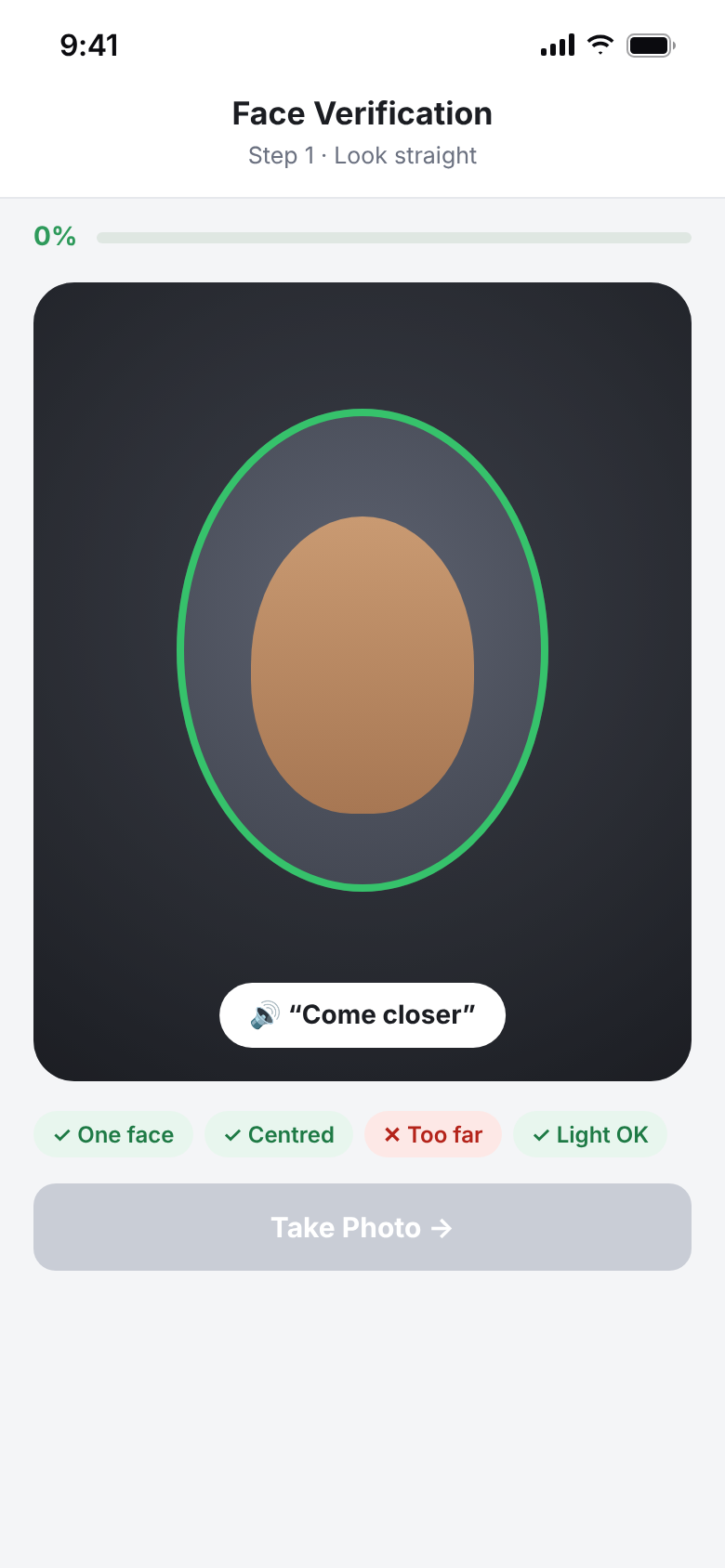
Guide with the camera itself, not with words: a face outline on screen and short voice prompts.
What changed
An outline shows where the face goes. Voice says “come closer” and “look straight” in the worker's language.
Outcome
After that, most workers registered on the first or second try.
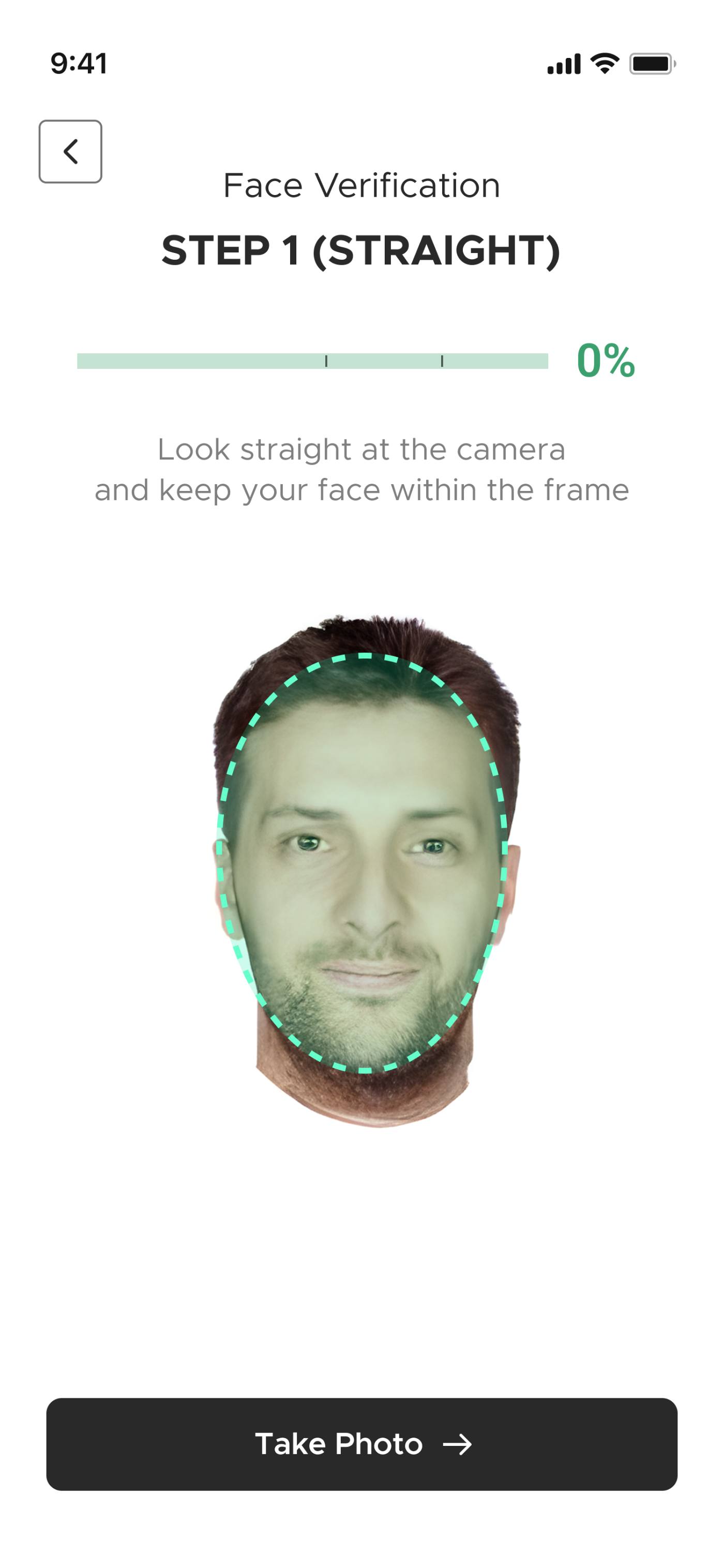
BeforeA line of text, a small face, and nothing that says why.
Before: A line of text, a small face, and nothing that says why.
AfterOutline plus voice guidance: “Come closer”.
After: Outline plus voice guidance: “Come closer”.

Most failures came from light, not from the AI.

Problem
Photos that looked fine to workers failed the match later.
What I observed
Most failures came from harsh sun behind the worker and dim light inside unfinished buildings. Distance came next.
What it revealed
If the phone can tell a photo will fail, the worker should know before taking it, not after an upload.
My decision
Check live on the phone, and only enable the capture button when all four checks pass.
What changed
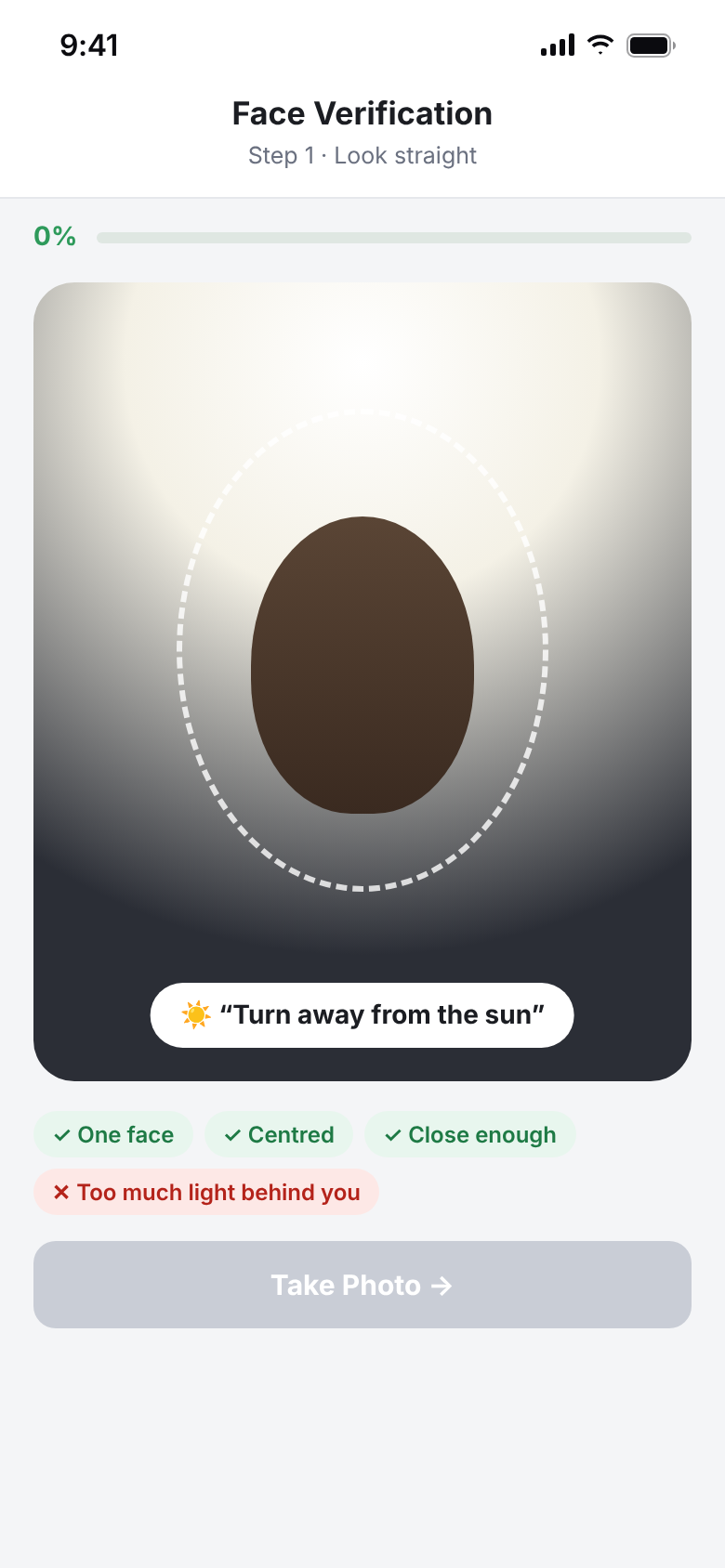
Live checks for one face, centred, close enough and well lit. Each failing check says what to do, like “turn away from the sun”.
Outcome
Problems are fixed in the moment, and the server's second check becomes a safety net, not the first line.
ShippedThe button waits until the light is right, and says why.
After: The button waits until the light is right, and says why.

A new beard, a mismatch, and a way back in.

Problem
Registration photos have to match faces for months, but faces change.
What I observed
Beards were fine at registration. Big changes later, like a new beard or a shaved one, sometimes caused a mismatch at check-in.
What it revealed
Clear rules about coverings help at registration, but no rule prevents a face from changing.
My decision
Set clear covering rules, and make re-registration easy but supervised.
What changed
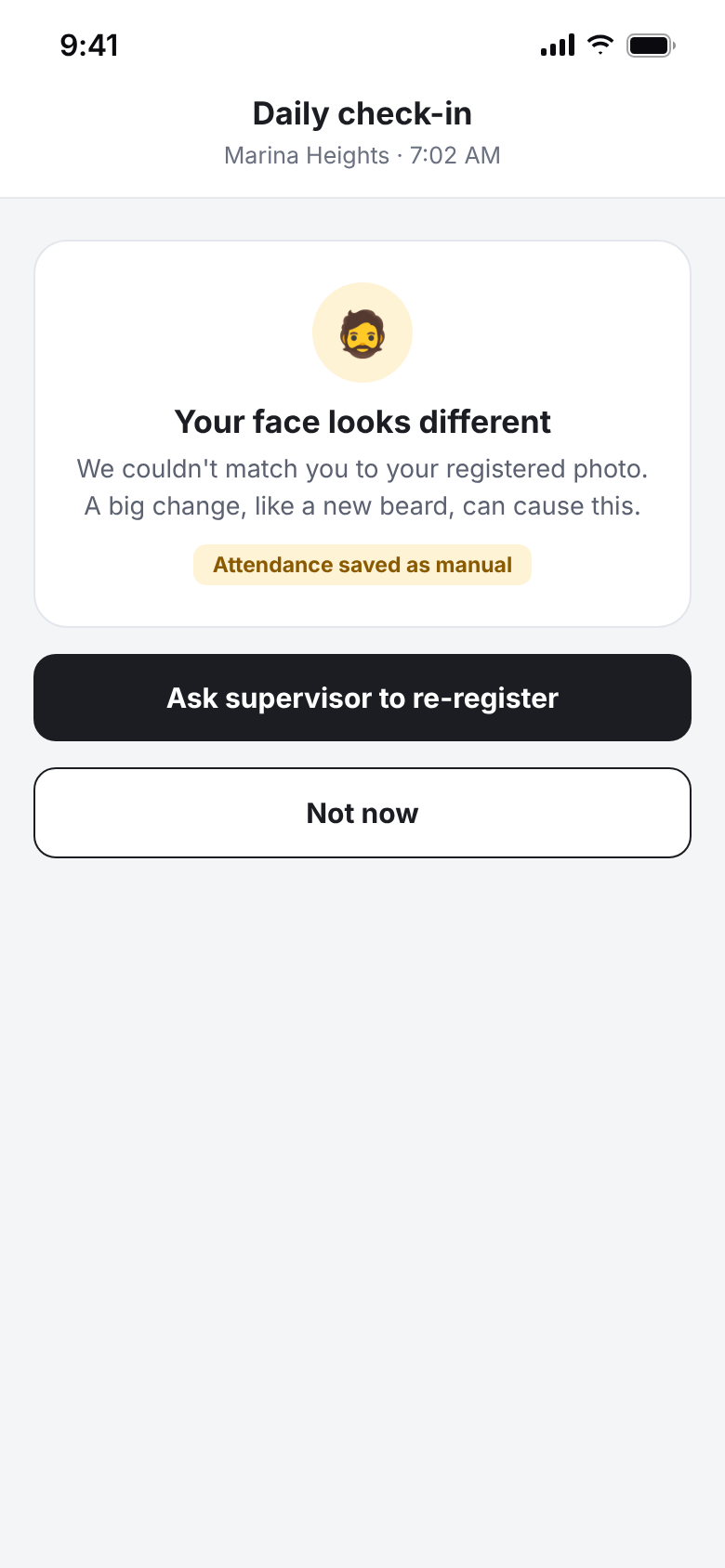
At registration: helmets, caps and masks off, explained in the worker's language. At check-in: caps and helmets OK if the face is visible, masks down. After a big change, a supervisor approves a re-registration.
Outcome
A changed face is a quick fix with a supervisor, not a daily failure.
Shipped flowMismatch after a big change, with a way to re-register.
After: Mismatch after a big change, with a way to re-register.

Before/after screens are recreated for this case study from the shipped app. Names are samples.

The final experienceShipped screens

What shipped, and why it works that way.

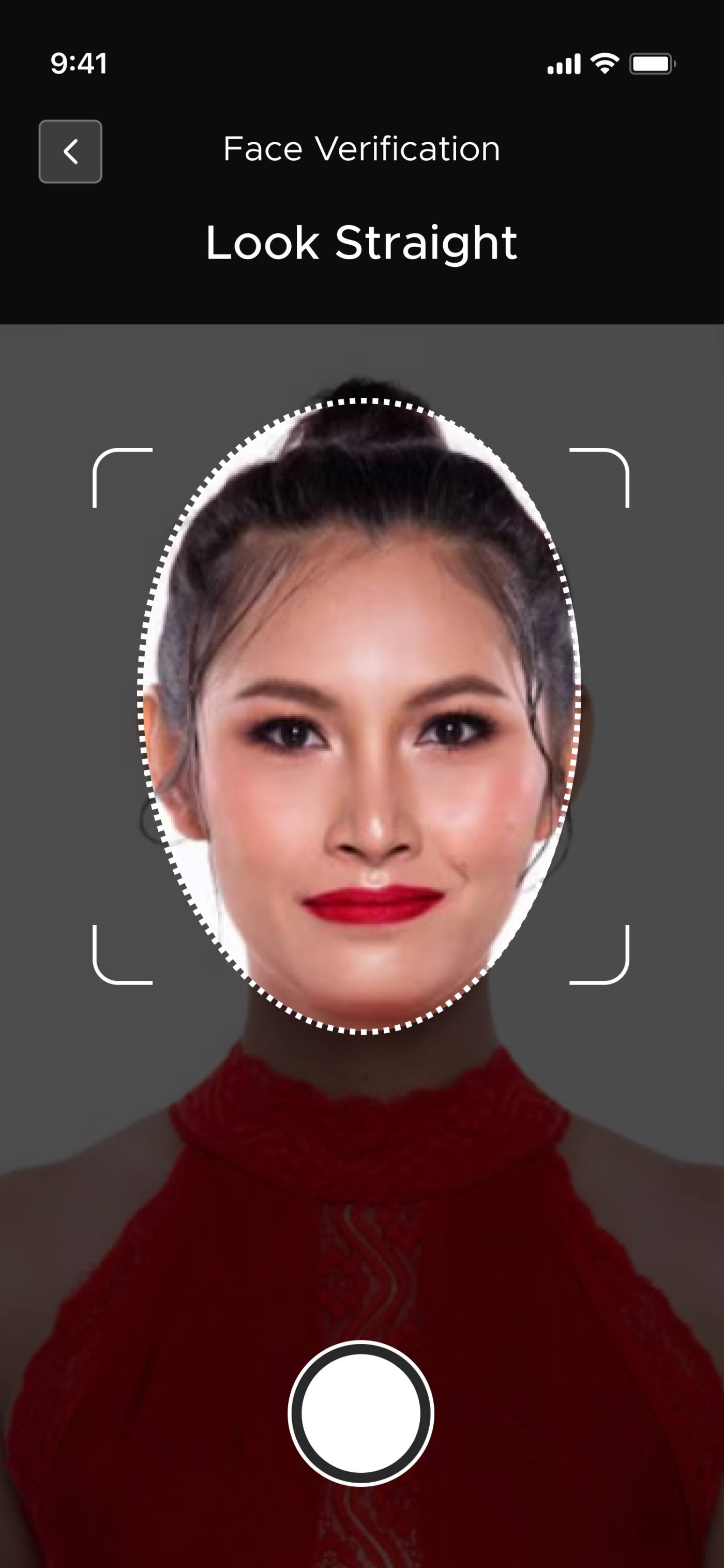
Explored · camera style
Explored · camera styleA dark viewfinder like the native camera. Familiar, but the progress indicator was harder to see.
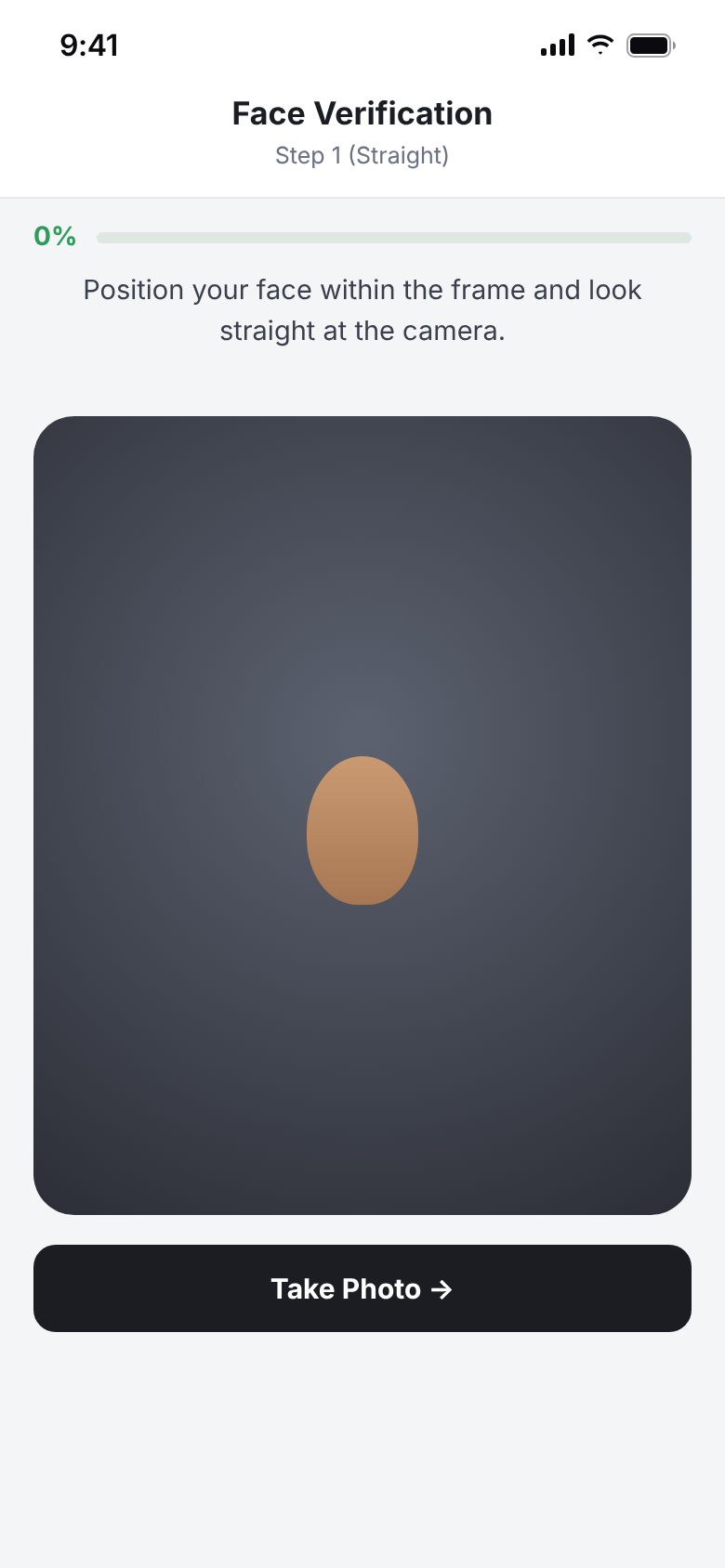
Carried forward · light
Carried forward · lightStep and progress first, the instruction above the frame, and an explicit Take Photo button.
Go deeperContext, discovery, decisions, barriers

The full story, if you have three more minutes.

01Context: what I was asked to build

Zaper needed automated attendance built on daily face check-ins. Registration is the foundation: a bad registration photo means failed check-ins every day after. I designed the registration flow end to end with the AI/ML engineers and developers.

The worry wasn't only accuracy. Scanning your face for a company app can feel like surveillance. The flow had to feel like help, not monitoring.

02Three approaches I tested before this one
  • One long instruction screen. Workers skipped it entirely, which led to mistakes and repeated failed attempts.
  • Photo-booth capture. Several angles at once. Accurate, but it needed space and time a busy site doesn't have.
  • Step-by-step with live feedback (chosen). Small guided steps with cues on the camera view. Low effort, good photos, nothing to read.

Research: 30+ in-depth interviews with field workers during their workdays, plus a full day observing on site.

03Other decisions: tone, progress and “Do Later”
  • Calm, plain language. “Detection failed / error code 04” became “Face not centred”. Errors read as guidance, not judgement.
  • Visible progress. 0% → 60% → 80% → 100% across the three angles, so workers know how close they are.
  • Do Later. Registration no longer blocks the app. It can be finished from the profile, and removing the pressure increased voluntary completion.
  • Less visual noise. A neutral layout keeps attention on the face and the feedback.
04Barriers and what we left out

Light on site was the biggest barrier, solved by live checks. Distance and reading were solved by the outline and voice prompts. Coverings are handled with clear rules at registration and at check-in.

No liveness check shipped in this version. Supervisors were present at registration, which covered most of the risk of someone registering a photo instead of a face.

ResultsThe percentage is from a user survey. The rest are observations.

What changed after launch.

  • 20%More successful face registrations after launch
  • 1–2Tries for most workers to register after voice guidance was added
  • ↓Noticeably fewer “scan not working” support requests
  • 3Approaches prototyped and tested before the final flow
  • 30+In-depth interviews with field workers on site
  • 0Blocking steps: registration can always be done later
What I learnedAnd what I'd change
Prevent the failure before the AI sees it.

Most failed matches were bad photos. Checking light and distance live did more than any server-side tuning could.

Guidance has to work without reading.

The older worker taught us that text instructions exclude people. An outline and a voice prompt include them.

Next timeWhat I'd change: voice guidance from the start.

We added voice prompts after seeing people fail. I'd guide every worker by voice from the first step, not only after things go wrong.

ContactSay hi

Building something with AI? Let's talk.

I'm open to product design roles in any sector where AI needs to feel simple and trustworthy.

Labeeb Manamkandath
that's me, in Dubai
© 2026 Labeeb Manamkandath