Labeeb M. Say hi
← All projects
Case study 04Zaper · Construction safety · Live on 21 sites

AI Toolbox Talk Analyzer

The AI listens to the morning safety talk, checks it against the checklist, and tells the supervisor what was missed. It also logs attendance from one group photo. It's designed to coach the supervisor, not grade him in front of his crew.

Role
Senior Product Designer
Team
AI/ML engineers, developers
Platform
iOS · Android
Timeline
Nov 2024 · 6 weeks
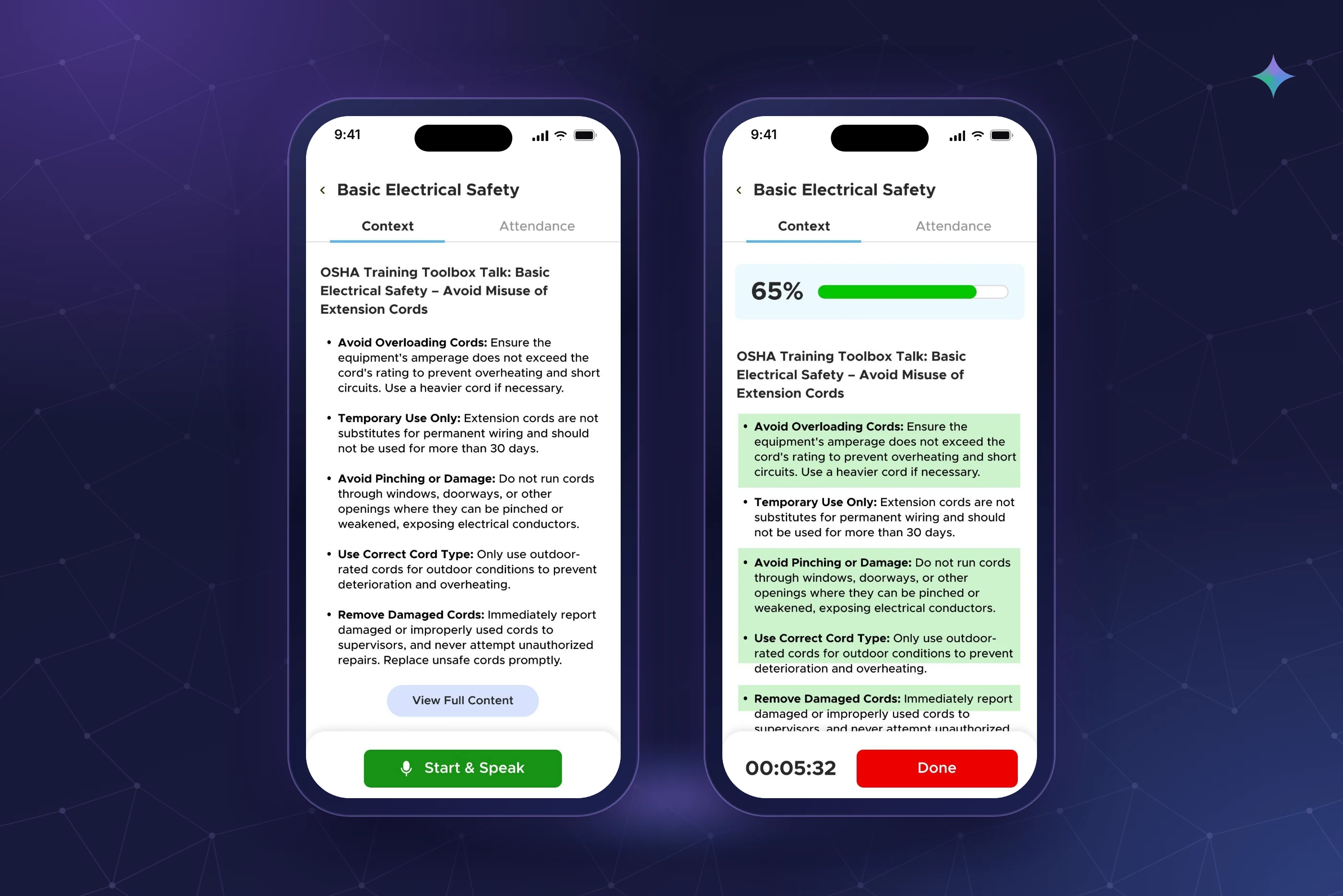
Phones showing the toolbox talk checklist and live coverage.
  1. Problem

    Toolbox talks happen every morning, but nobody could tell if every safety point was covered. Attendance was a paper sheet.

  2. Where AI sits

    Listens to the talk and matches it to the checklist: covered, partly covered, not yet covered. Also matches faces in a group photo.

  3. Key decision

    No red “missed” and no live score during the talk. The missed list comes in the summary afterwards.

  4. Outcome

    Live and used by supervisors on 21 sites.

    Source: Deployment
How I used AIInput → AI → human check → output

Listen during the talk, judge after it.

The AI works quietly in the background. The supervisor talks to the crew, then gets a summary of what to cover next time.

  1. 01 · Person Pick the topic

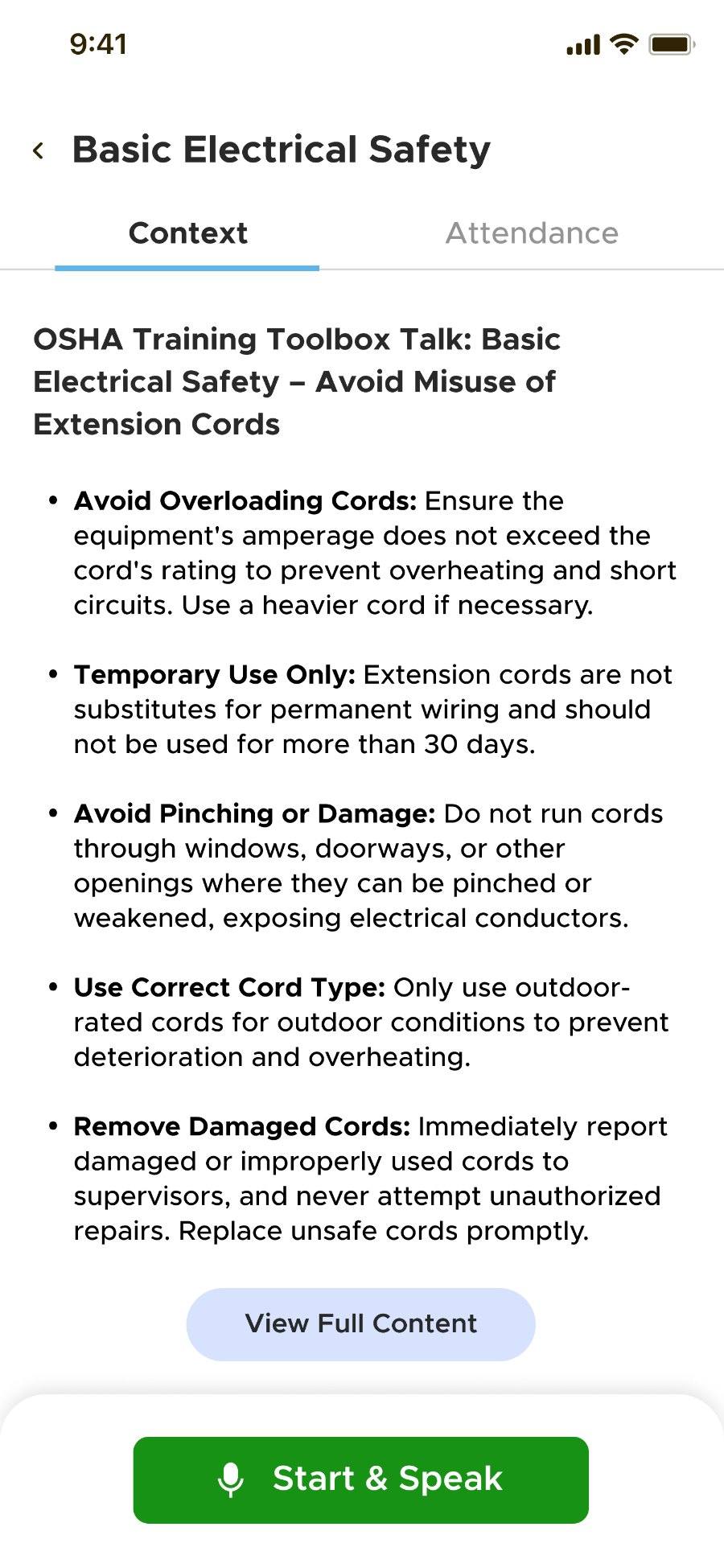
    The day's checklist of safety points appears. One button: Start & Speak.

  2. 02 · AI Listen & match

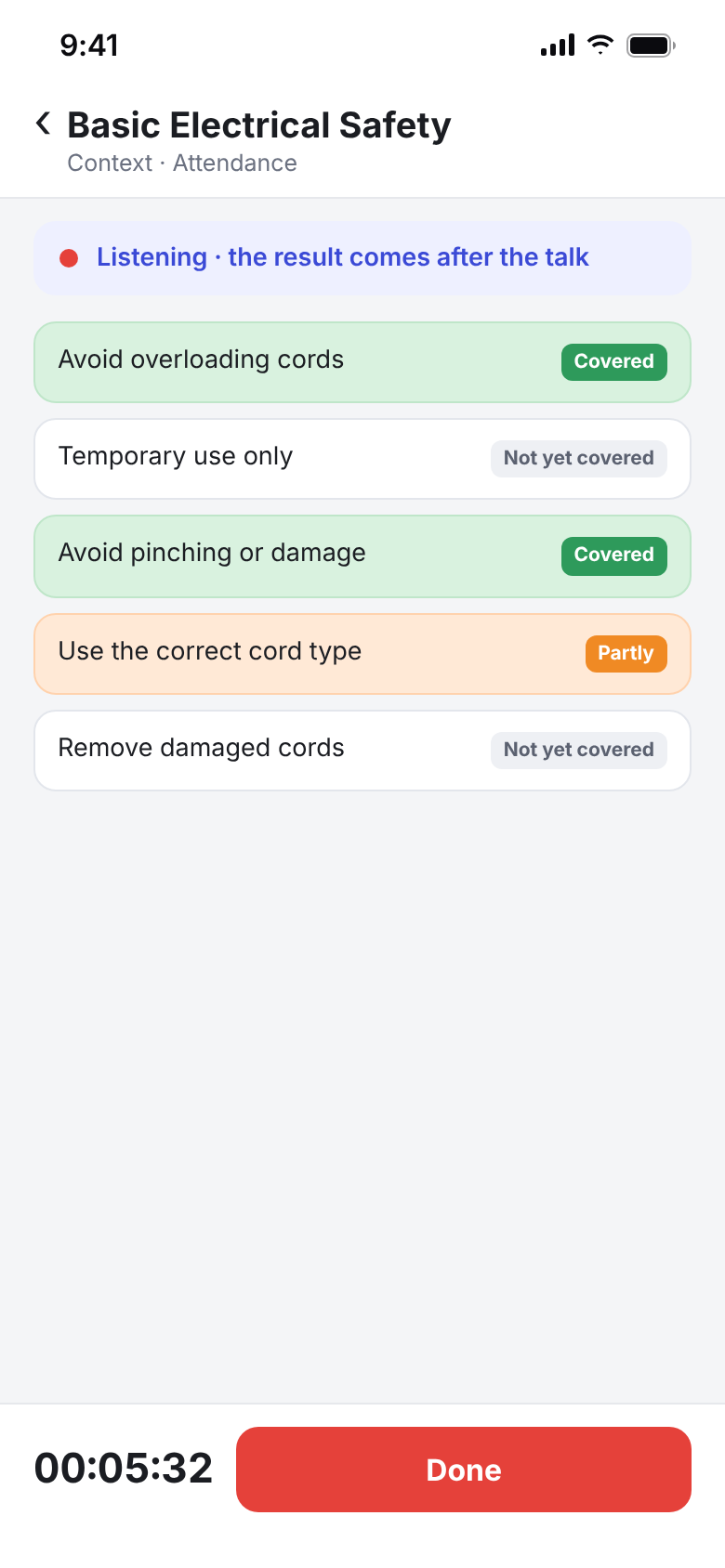
    The talk is checked against each point: covered, partly covered (orange), or not yet covered.

    ⚠ Noise and informal speech
  3. 03 · AI Summary

    After the talk: what was covered and which points were missed.

  4. 04 · Person Group photo

    The supervisor takes one photo of the crew.

  5. 05 · AI Face match

    Faces are matched to the crew list.

    ⚠ People at the back, helmets pulled low
  6. 06 · Human check Tag unmatched

    Anyone not matched shows as unmatched. The supervisor tags them by hand.

  7. 07 · Output Session record

    Coverage and attendance in one record for management.

AI step Human in the loop Where it can go wrong

What I changed and why3 decision stories

Real moments that changed the design.

“It's marking me wrong in front of my crew.”

Problem
Live feedback during a talk is visible, and supervisors give these talks in front of their teams.
What I observed
In testing, a supervisor saw several red “missed” points and felt the app was marking him wrong in front of his crew.
What it revealed
Being right isn't enough. Feedback at the wrong moment turns a coaching tool into an audit, and people avoid audits.
My decision
Nothing is “missed” while the talk is still going. Judge after, not during.
What changed
During the talk, points show as “not yet covered”. The missed list only appears in the summary afterwards.
Outcome
Supervisors keep their authority during the talk and still get a clear list of gaps.
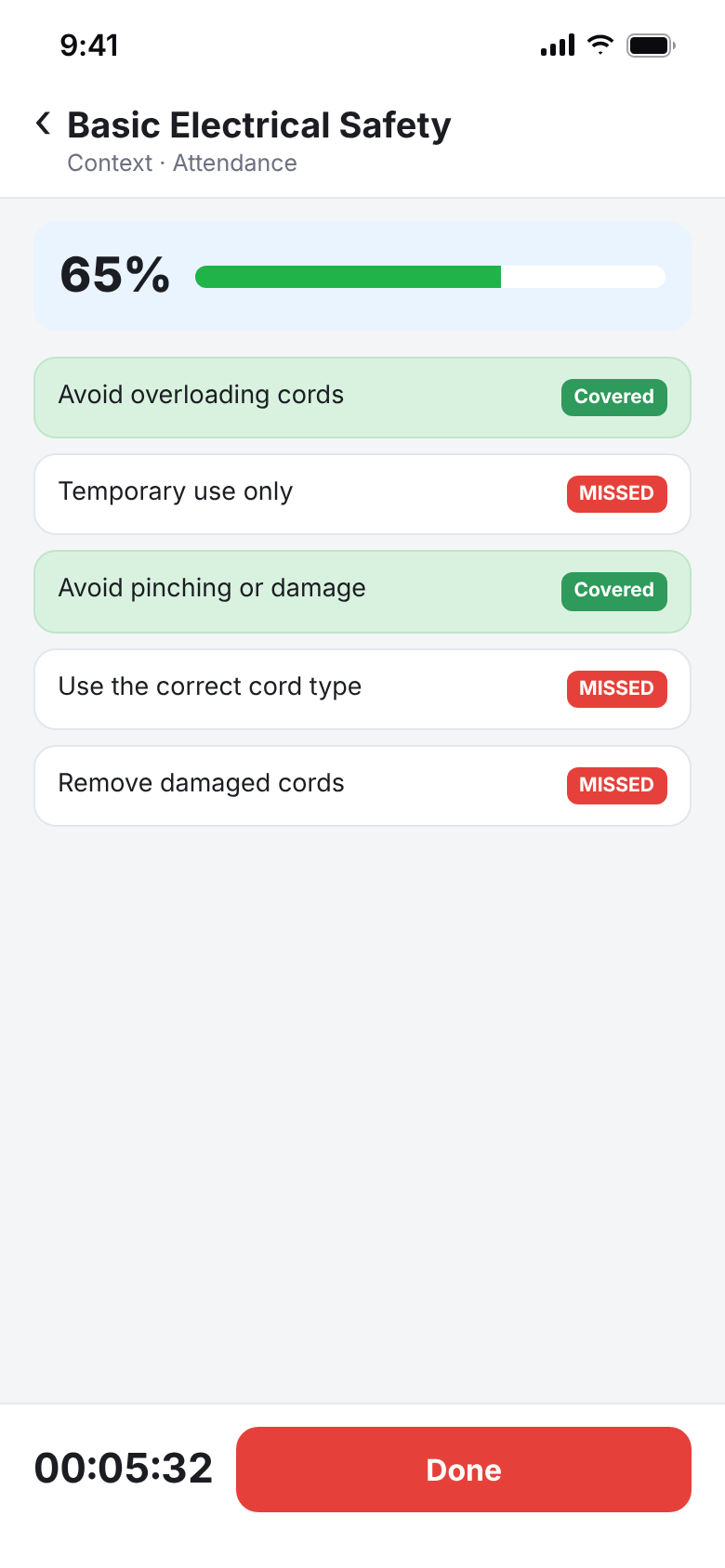
TestedRed “MISSED” labels while he's still talking.
Before: Red “MISSED” labels while he's still talking.
Shipped“Not yet covered” during the talk, orange for partly covered.
After: “Not yet covered” during the talk, orange for partly covered.

A live score would pull eyes to the screen.

Problem
The talk is for the crew. The phone should stay in the background.
What I observed
The early design showed a live percentage climbing as points were covered. I predicted supervisors would start watching the number instead of their workers.
What it revealed
A live score invites the supervisor to chase it. That defeats the point of the talk.
My decision
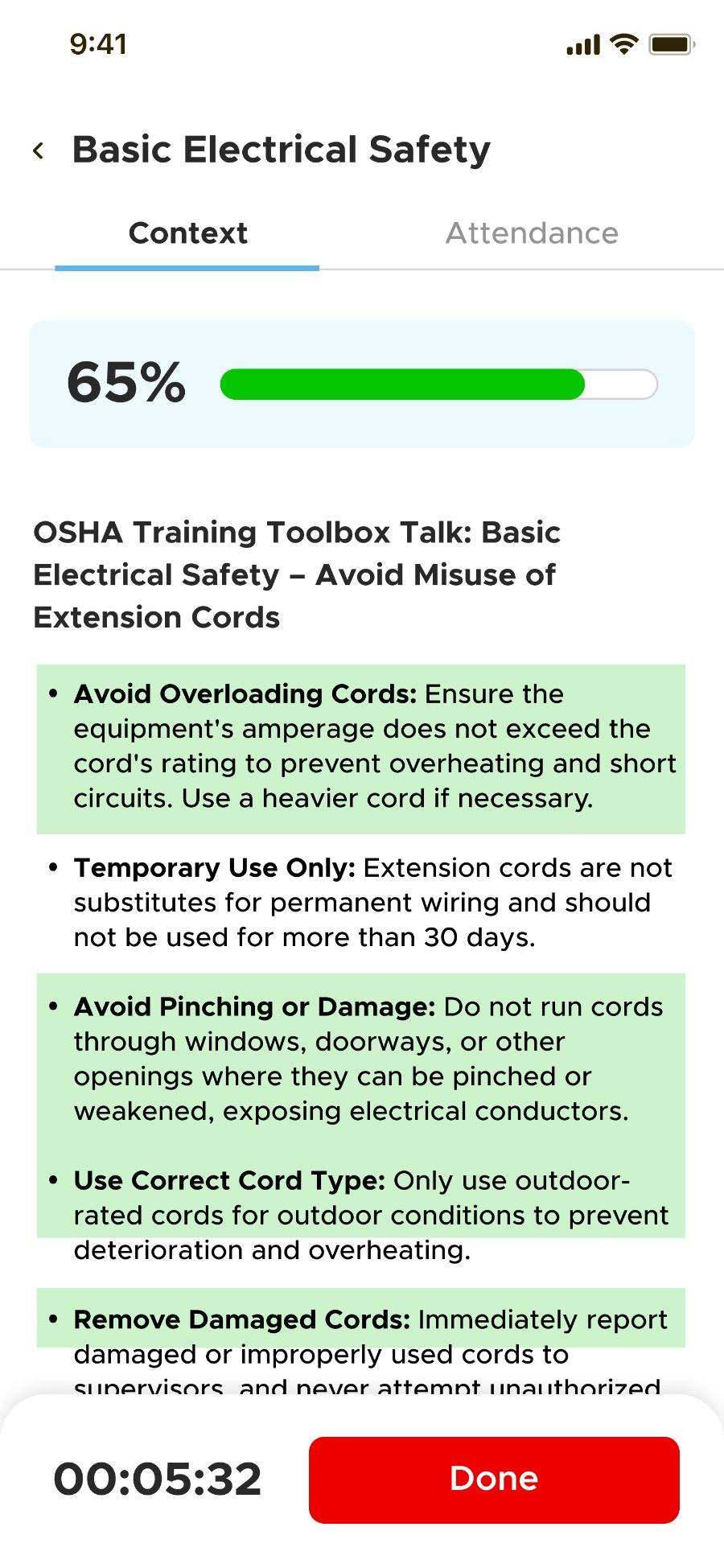
Hide the live percentage. Show the full result at the end.
What changed
The shipped version listens without a running score. The supervisor checks the result once the talk is done.
Outcome
The supervisor's attention stays on the crew.
Earlier designA live percentage and progress bar.
Before: A live percentage and progress bar.
ShippedListening, with the result after the talk.
After: Listening, with the result after the talk.

One group photo, and the people at the back.

Problem
Paper sign-in sheets were slow and easy to fake. Signing in one by one takes too long before work.
What I observed
With one group photo, people at the back or with a helmet pulled low often weren't matched.
What it revealed
Group photos will never match everyone. The design has to expect gaps, not hide them.
My decision
Match automatically, and show the gaps for the supervisor to fill.
What changed
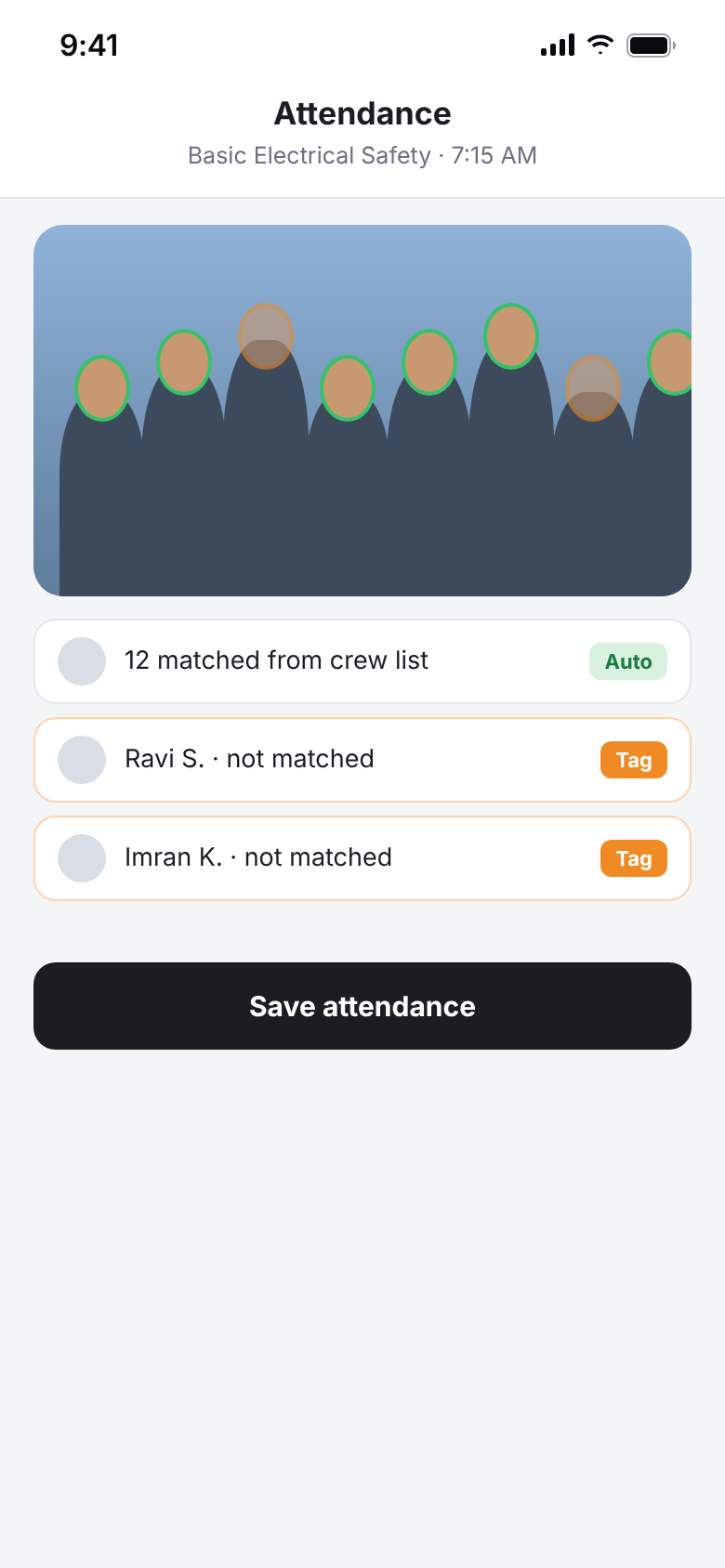
Unmatched crew members are listed as unmatched, and the supervisor tags them manually.
Outcome
Attendance takes one photo plus a couple of taps, and nobody is wrongly marked absent.
Shipped flowMatched automatically, unmatched tagged by the supervisor.
After: Matched automatically, unmatched tagged by the supervisor.

Recreated screens are based on the shipped app. Names are samples. The “Earlier design” screen is from the original design.

The final experienceShipped screens

What shipped, and why it works that way.

Before the talk
Before the talkThe checklist is the script. One button starts the session, and full content is there if needed.
After the talk · attendance
After the talk · attendanceOne group photo, with unmatched people listed for the supervisor to tag.
Go deeperContext, discovery, decisions, barriers

The full story, if you have three more minutes.

01Context: the talk with no record

Every morning on a construction site, a supervisor runs a 5–10 minute toolbox talk. There was no way to know whether every safety point was covered, and no reliable record of who attended. If something went wrong later, there was no proof of what was said.

I designed the product end to end with the AI/ML team, who built the working version. A project manager signed off before launch.

02Research: what I saw before designing

I watched five or six toolbox talks at two or three sites before designing. Supervisors and safety officers tested the prototype. After launch, I followed up with supervisors on how they actually used it.

  • Supervisors often thought they'd covered every point but had missed small details.
  • Workers preferred short, clear talks with fewer, well-explained points.
  • Attendance on paper was slow and unreliable.
03How the design evolved
  • From transcript to guidance. The first direction recorded and transcribed the talk for review afterwards. It felt like surveillance, so the focus moved to helping the supervisor.
  • Three coverage states. Covered, partly covered (orange), not yet covered. A partial state is more honest than forcing a yes or no.
  • Attendance in the same session. Field observation showed attendance was as broken as talk quality, so one session now does both.
04Barriers: noise, informal speech and three audiences

Sites are noisy and supervisors talk informally, so the AI won't always be sure. The partly covered state shows that honestly instead of claiming certainty. The product also serves three groups: supervisors (supported), workers (shorter, clearer talks) and management (a record). The supervisor's flow comes first, and the management record is a by-product of it.

ResultsDeployment status and process. No measured metrics were collected.

What changed after launch.

  • 21Sites where supervisors use it in real toolbox talks
  • 1Session covers both the talk record and attendance
  • 0Paper sign-in sheets: one group photo plus manual tags
What I learnedAnd what I'd change
When feedback appears matters as much as what it says.

The same “missed” list is useful after the talk and damaging during it.

Design the gaps into the AI's output.

Partly covered and unmatched exist because the AI won't always be sure. Showing that kept people trusting the parts it did get right.

Next timeWhat I'd change: lead with the summary.

Supervisors care most about a quick “you missed these 2 points, cover them tomorrow.” Live tracking during the talk mattered less than we first thought. I'd put the post-talk summary at the centre from day one.

ContactSay hi

Building something with AI? Let's talk.

I'm open to product design roles in any sector where AI needs to feel simple and trustworthy.

Labeeb Manamkandath
that's me, in Dubai
© 2026 Labeeb Manamkandath